 ROADCOM
Free iPhone app · Launching in the UK
Find the roads worth the drive
RoadCom is the map for car and motorbike people. Great driving routes, photo spots and stops, all added by the people who drive them.
- Free to use
- Cars and motorbikes
- Made in London
Routes
Roads worth driving for their own sake, drawn along real roads, with a tip from the person who added them.
Photo spots
Viewpoints and backdrops for your car or bike, with real photos and where to park.
Stops
Cafes, pubs and meets that welcome drivers and riders, so the day out has somewhere good to stop.
Inside the app
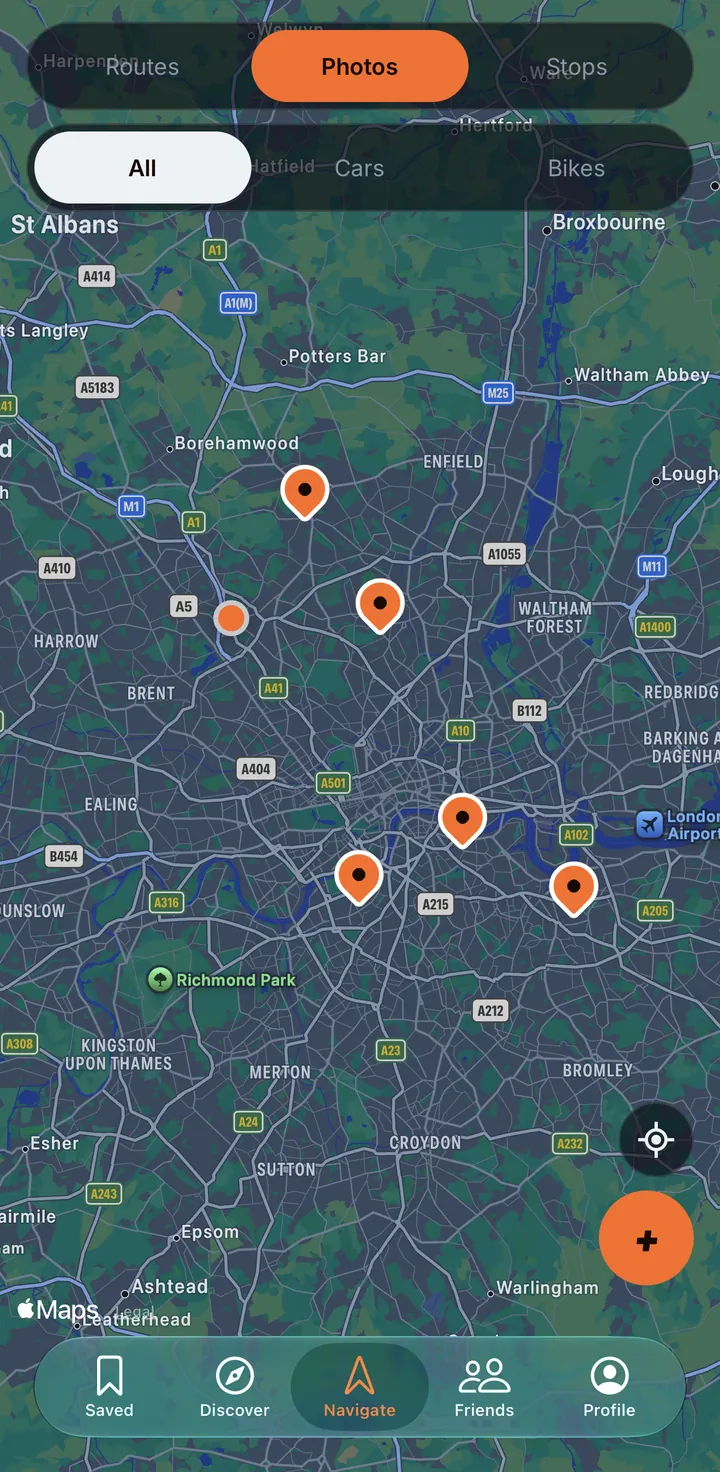
One map. Every good road.
No ad-filled lists or old forum threads. Just the places drivers and riders actually rate, in one place.
Find the spots worth the drive
Stops, photo spots and routes on one map.
Routes snapped to real roads
Save them, drive them, tick “I drove this”.
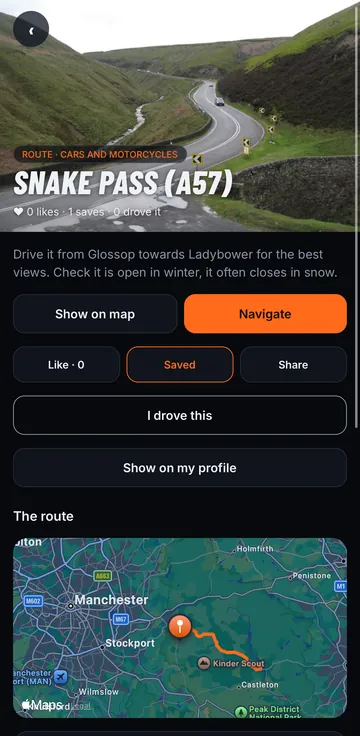
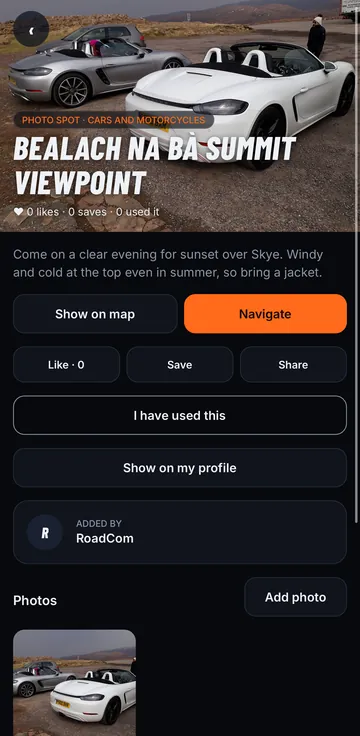
Photo spots from locals
Real photos, real tips, real parking info.
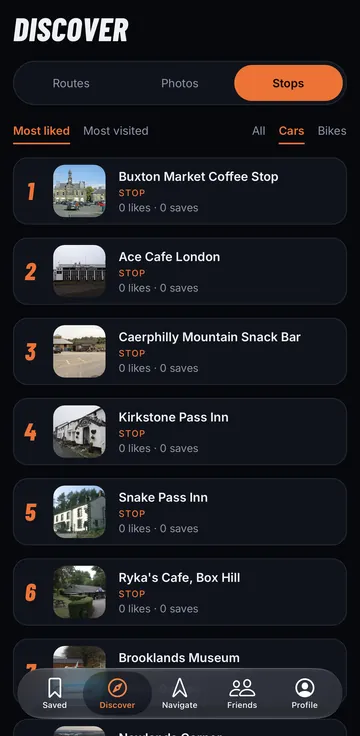
See what the crowd loves
Most liked and most driven, for cars or bikes.
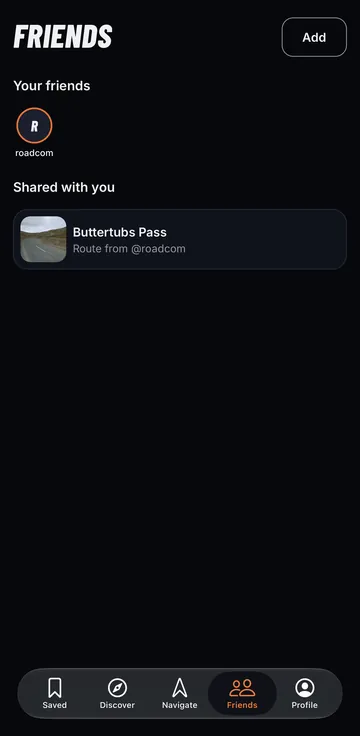
Share gems with your crew
Find friends and send them places.
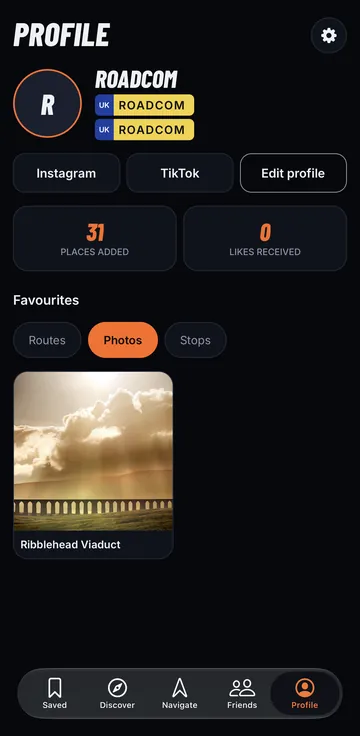
Made for car and bike people
Your plates, your favourites, your socials.
How it works
Plan it. Drive it. Share it.
- Open the map
Switch between Routes, Photos and Stops, and filter for cars or bikes.
- Pick your day out
Save a route, check the tips and tap Navigate to head there.
- Add your own
Know a great road or a biker-friendly cafe? Add it with a photo and a short tip.
- Bring your crew
Find friends already on RoadCom and send them places to try.
Clubs, cafes and venues
Got a car club or a cafe?
Claim your place on the map, add your meets and events, and see how many drivers and riders look at it.
FAQ
Questions, answered
What is RoadCom?
RoadCom is a free map app for people who love driving and riding. It shows the best driving routes, photo spots and stops (cafes, pubs, car parks and meets) that other drivers and riders have added, so you can plan a good day out on the road.
Is RoadCom free?
Yes. RoadCom is free to download and free to use. You do not need a subscription to add places, save routes or follow friends.
Is RoadCom for cars or motorbikes?
Both. Every place is marked for cars, motorbikes or both, and you can filter the map to show only car spots or only bike spots.
Where does RoadCom work?
RoadCom is launching in the UK first, with routes and stops already added across England, Wales and Scotland, from the Peak District and Snake Pass to the Lake District and the Scottish Highlands. The map works anywhere, so you can add places wherever you drive.
Is RoadCom on iPhone and Android?
RoadCom is coming to the App Store for iPhone first. An Android version for Google Play is planned for later.
How do routes work?
You pick points on the map and RoadCom draws the route along real roads. Each route has a short tip from the person who added it, and Navigate opens directions in your maps app. When you have driven it, tap “I drove this”.
Can I add my own places?
Yes. Anyone with an account can add a route, photo spot or stop with a photo and a short tip, such as the best time to visit or where to park. Other drivers can then like, save and share it.
How do friends work?
You can add friends by username, or choose to check your contacts to find people you know who are already on RoadCom. Contacts are only checked if you allow it. You can send places straight to a friend.
How do I delete my RoadCom account?
Open the app, go to Profile, tap the settings gear, then tap Delete account. This deletes your account and the data linked to it. You can also follow the steps on our delete account page. Delete account steps.
I run a car club, cafe or venue. Can I be on RoadCom?
Yes. Clubs and venues can claim their place, add events and see how many people view it. See RoadCom for Business at business.roadcom.co.uk. Visit RoadCom for Business.
Your next favourite road is on the map
Android is planned for later. Questions? [email protected]